I am trying to query a data table using the deviceId column. Why wont this work?
Query:
{
  "$and": [
    {
      "deviceId": {
        "$in": "{{working.deviceIds}}"
      }
    }
  ]
}
Payload:
{
  "time": "2026-03-27T18:09:38.527Z",
   "working": {
      "deviceIds": ["68a8fe050edfd2a2b5a64ddb", "693c54e5a4c89b7235b66f50"]
   }
}
Result
{
  "working": {
    "deviceIds": ["68a8fe050edfd2a2b5a64ddb", "693c54e5a4c89b7235b66f50"],
    "tableResult": {
      "error": {
        "type": "Validation",
        "message": "deviceId: value for $in must be an array"
      }
    }
  }
}
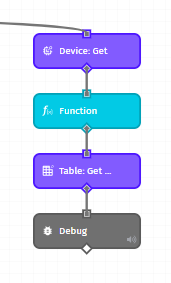
Workflow:
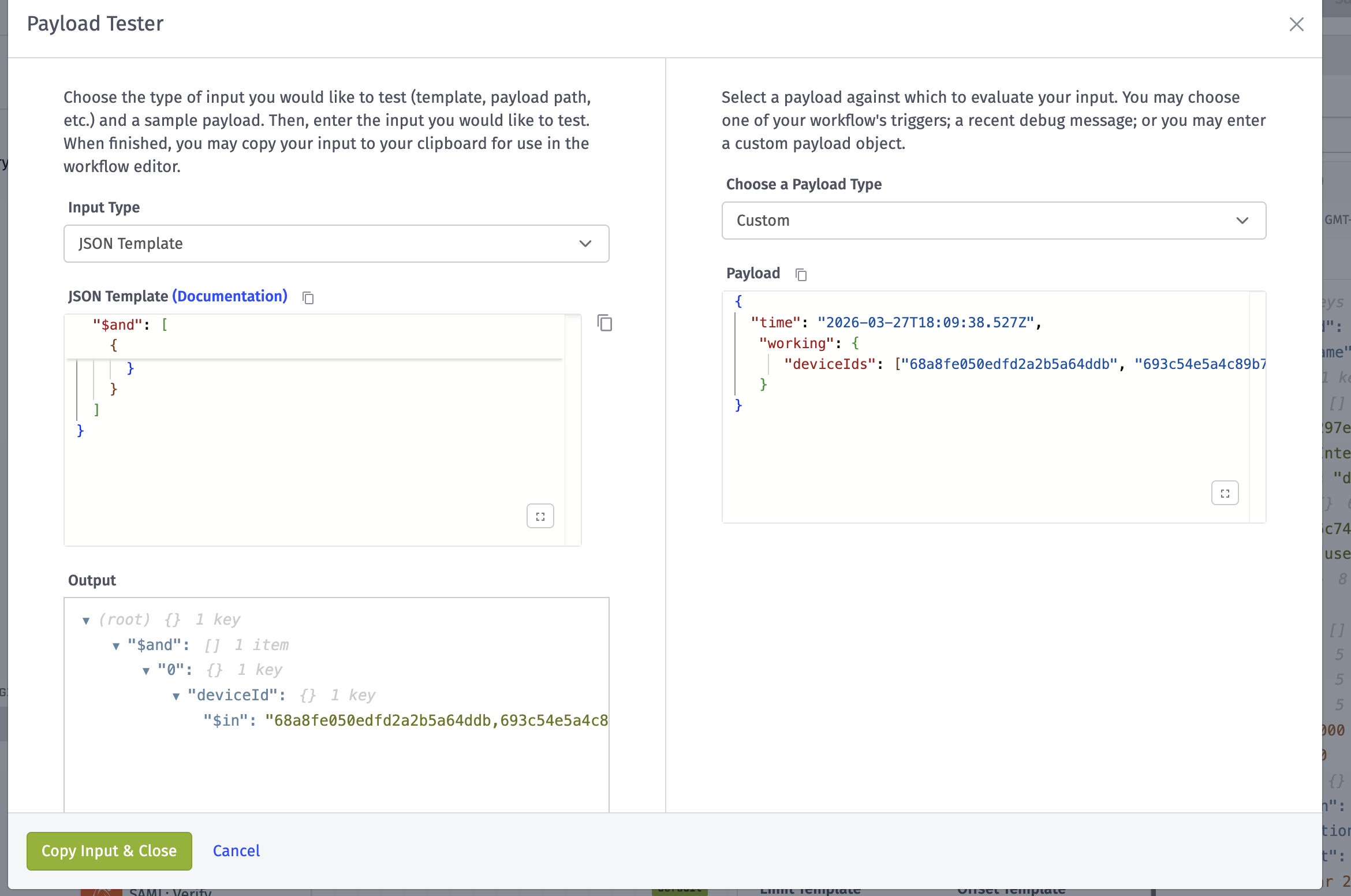
If you use the template tester that is built into the workflow editor, you will see that your query resolves to the following:
Notice how {{working.deviceIds}}, when the referenced value is an array, concatenates all items as a string separated by commas. (Similar to the JavaScript Join method.)
What you need to do instead is not wrap the value in quotes and to make use of the {{jsonEncode}} helper like so:
{
  "$and": [
    {
      "deviceId": {
        "$in": {{jsonEncode working.deviceIds}}
      }
    }
  ]
}
Thanks, that did it.
If I may suggest, the doc page should show an example of jsonEncode when it comes to Advanced Mode. That was my first go to.
Thanks again.
Fair point. I’ll file a ticket about getting an example into the docs. Thanks.